A law firm covers third-party names in a discovery set with black rectangles. Opposing counsel copies the text and reads every name underneath.
Personally identifiable information (PII) does not disappear because you drew a box over it. To redact PII from PDF files properly you have to remove the data from the file rather than cover it on the page—including the text beneath any marking, form field values, annotations, embedded images and document metadata. PDFs look final, which is exactly what makes them dangerous: the visible page is one layer among several, and personal data persists in the layers you don't see.
Definition: PDF redaction PDF redaction is the permanent removal of personal data from a document, including the visible text layer, the extractable text beneath any visual markings, form field values, annotations, embedded images and file metadata. Covering content with a shape is obscuration, not redaction, because the underlying data remains in the file and can be recovered by copying text or inspecting the document structure.
If you're someone who deals with business documents, PDFs are the highest-volume regulated document format—and one of the hardest categories of unstructured data privacy to control. This article covers where personal data hides in a PDF, why common tools fail, what the frameworks require and how automated redaction works at scale.
Where PII hides in PDFs
A PDF is a container, not a picture. The page you see is rendered from several distinct structures and each one can carry personal data independently.
| Layer |
Personal data it typically holds |
Why text-based tools miss it |
| Visible text |
Names, addresses, account numbers, dates |
It doesn't—this is the layer text extraction reads directly |
| Text beneath a visual marking |
Whatever the black box was drawn over |
The rectangle changes the rendering, not the content stream |
| Document metadata |
Author name, organization, timestamps, software used and sometimes the full local file path—enough to identify the clinician who wrote a referral letter |
Sits outside the page content entirely |
| Form field values |
Entered values in interactive forms: names, dates of birth, government identifiers |
Stored as field data separate from the page rendering; flattening the visual output does not always clear it |
| Annotations and comments |
Review notes and sticky comments, often containing candid personal detail |
Separate objects that are not part of the page text |
| Embedded images |
Scanned signatures, photographs of identity documents, screenshots, pasted charts |
Text inside an image is invisible to text extraction |
| Scanned pages |
Every identifier on a faxed or scanned record |
There is no text layer at all until optical character recognition (OCR) produces one |
| Attachments and revision history |
Whole embedded files and prior versions of edited content |
Incremental save structures retain content the current page no longer displays |
The pattern across all eight is the same: what renders on screen is a subset of what the file holds. PDFs are not unique in this—emails, PDFs and chat logs each conceal personal data in structures the reader never sees, though the hiding places differ by format.
Industries most exposed to PDF privacy risk
Every organization holds PDFs. Four sectors hold them at a volume and sensitivity that makes the exposure material.
| Industry |
High-risk document types |
Personal data typically present |
| Healthcare |
Medical records, referral letters, prior authorizations, faxed outside records |
Patient names, dates of service, medical record numbers, diagnoses, provider names |
| Legal |
Contracts, discovery productions, filings, exhibits |
Third-party names, addresses, financial terms, employment details |
| Financial services |
Statements, loan files, know-your-customer packets, claim documents |
Account numbers, government identifiers, income data, signatures |
| Human resources |
Applications, resumes, performance reviews, background checks |
Contact details, national identifiers, salary data, health accommodations |
Healthcare carries the sharpest version of this problem because so much of its document flow is still fax and scan. An outside records packet arrives as a 60-page scanned image, gets indexed by a human, then sits in a document management system as pixels no text-based control can inspect.
Most of these documents arrive as attachments, so exposure spans the repository and the mail archive—the same problem you face when you detect and redact PII in email at scale.
Why simple redaction tools fail
Four failure patterns account for most real-world PDF redaction incidents, and each one produces a document that looks correctly redacted.
| Failure mode |
What you see |
What is still exposed |
| Overlay instead of removal |
A clean page with black rectangles |
The original text sits in the content stream, selectable by copy-paste and readable by any extraction library |
| Untreated scanned content |
A zero-detection result, reported as clean |
Every identifier on the page, fully legible to any reader or any OCR engine |
| Non-page objects left intact |
Body text correctly removed |
Author fields, timestamps, file paths, annotations and form field values, all stored outside the page content stream |
| Manual review at production volume |
Documents marked reviewed |
Inconsistent decisions between reviewers: one redacts a date of birth, the next leaves it because the page already states an age |
Partial redaction earns no partial credit under HIPAA, GDPR or CCPA.
Get an audit trail for every detection and transformation across your document archive, ready for the next review.
Get the Guide
The last one is the quietest. Variance between reviewers stays invisible until someone audits the set, which is what makes corpus-level compliance claims hard to defend and is the core argument in manual vs automated PII redaction.
Test it on a scanned document. Limina redacts PII from PDFs including scanned records, form fields and metadata, deployed in-VPC or on-premises. Request a demo of context-aware data de-identification.
Compliance requirements for PDF redaction
No framework exempts a document because of its format. The obligations below attach to the personal data itself, wherever it sits in the file.
| Framework |
Core obligation |
What it means for a PDF |
| Health Insurance Portability and Accountability Act (HIPAA) |
De-identify protected health information by one of two HHS-recognized methods: Safe Harbor, which removes 18 categories of identifiers, or Expert Determination, which documents that re-identification risk is very small |
Safe Harbor's list includes full-face photographs, so embedded images and scanned pages are in scope rather than peripheral. The full list is in the HIPAA Safe Harbor method guide |
| General Data Protection Regulation (GDPR) |
Article 17 establishes the right to erasure, obliging controllers to erase personal data without undue delay on specified grounds |
Erasure means locating every document that mentions the individual, including scans, attachments and metadata, not only the files a filename search surfaces |
| California Consumer Privacy Act (CCPA), as amended by the California Privacy Rights Act (CPRA) |
Consumers hold a right to delete personal information collected about them, subject to exceptions, alongside rights to know and correct |
Document repositories fall in scope on the same terms as any other system holding consumer records |
The common thread is that partial redaction earns no partial credit. A document with the body text removed but the author metadata and an embedded signature image intact still contains personal data.
How to redact PII from PDF files at scale
A defensible pipeline handles the document as a structured object rather than as a page image. Five stages:
- Normalize and classify the document. Determine whether pages carry a text layer, are scanned images or mix both. Route each page accordingly, since a single file often contains born-digital pages and scanned inserts.
- Apply OCR where needed. Convert image-only pages into text with positional coordinates, so detected entities can be mapped back to their exact location on the page for removal.
- Detect entities in context. Run natural language processing across extracted text to classify names, dates, identifiers, addresses and financial values by meaning rather than pattern. Context resolution matters as much as in any free text: a nine-digit string is a Social Security number in one document and a case reference in another.
- Remove across every layer. Delete the underlying text from the content stream instead of covering it. Clear form field values, remove or redact annotations, strip or sanitize metadata and treat embedded images with the same detection and removal process.
- Produce an audit trail. Log each detection, its type and confidence, the transformation applied, the page and coordinates and the policy version. For expert determination reviews and eDiscovery challenges, this record is the evidence the process was applied consistently.
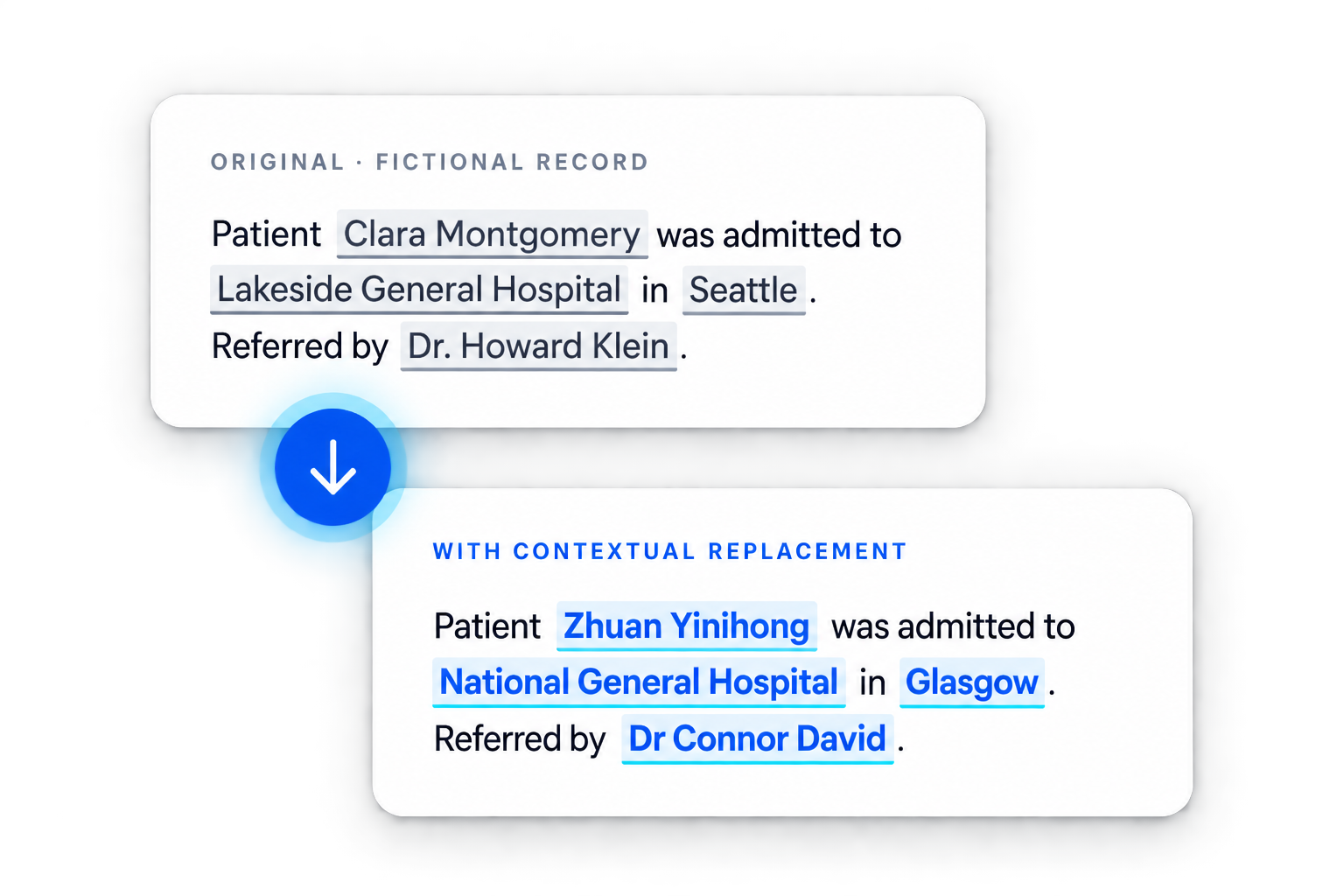
Full redaction suits productions and archives; replacement with a synthetic surrogate preserves readability when documents will feed research or model training.
Pre-release inspection checklist
Confirm each of the following before a redacted document leaves your organization. Any one of them failing is enough to disclose the data you thought you removed.
- Text extraction returns nothing sensitive. Copy the full document text programmatically and search it, rather than relying on visual inspection of the page.
- Metadata is cleared. Check author, organization, creation and modification timestamps and any embedded file path.
- Form fields hold no values. Interactive fields store data separately from the rendered page.
- Annotations and comments are removed. This includes review notes that were never meant to leave the building.
- Embedded images are processed. Signatures, identity documents and screenshots all carry identifiers, so treating only the text around them is not enough.
- Scanned pages went through OCR. A zero-detection result on a scanned document means the tool could not read it, not that the document is clean.
How Limina handles PDF data privacy at scale
The hardest PDFs are the mixed ones, and handling them means treating the file as a set of layers rather than as a page image.
A single record can hold a born-digital cover letter, six scanned pages from another provider, a signed form and an embedded photograph. Tools that handle one case well tend to process what they can read and silently pass the rest, which is how a document reaches a zero-detection result while remaining fully legible. Limina applies integrated OCR to image-based pages so those pages are analyzed rather than skipped, then runs detection across extracted text, form fields, annotations and embedded images together, covering more than 50 entity types in 52 languages. Processing runs in-VPC or on-premises, so medical records, loan files and discovery sets stay inside your infrastructure, and the transformation logs a HIPAA reviewer asks for are produced during the run.
Benchmark testing across roughly 45,000 words of real-world text from multiple domains found:
| Measure |
General-purpose cloud tools |
Purpose-built detection |
| PII entities missed |
13.8%–46.5% |
0.2%–7% |
On target PHI entities in the Providence Health deployment, reported accuracy was 99.5 percent or higher.
Next steps
PDFs fail quietly. A document that looks correctly redacted can carry every identifier in its text stream, form fields and metadata, and you usually find out when someone outside your organization gets there first.
Talk to an expert about your document archive, or see format coverage and deployment detail on the data de-identification product page.
Documents headed into a model raise a further set of obligations, because raw training text carries the same identifiers into the model itself.